
Last updated: October 20, 2026
China runs on a different app ecosystem from the one on your phone. Google Maps is unreliable, Google services and most Western social apps are blocked on local networks, and almost everything from paying for noodles to entering a museum happens through a QR code. The good news: since 2024–2025 the main apps have become far friendlier to foreign visitors, with English menus and support for international Visa and Mastercard cards.
This guide covers what each app does, how to set it up, and what to skip. It is written for independent travelers who want to land in Beijing, Shanghai or Chengdu and be productive within the hour.
The cheat sheet: apps at a glance
| App | Use it for | English? | Foreign cards? | Priority |
|---|---|---|---|---|
| Alipay | Paying almost anywhere, Tour Pass, mini-programs | Yes | Yes (Visa, Mastercard, others) | Must |
| Messaging with locals, QR scanning, WeChat Pay | Yes | Yes, after setup | Must | |
| Amap (Gaode) | Walking, metro and driving directions | Yes | Free app | Must |
| DiDi | Taxis and private cars | Yes (international version) | Yes, or pay via Alipay | Must |
| Trip.com | High-speed trains, domestic flights, hotels, tickets | Full English | Yes | Must |
| Baidu Translate | Camera, voice and text translation without a VPN | Yes | Free app | Must |
| Baidu Maps | Backup map with deep local data | Partial | Free app | Nice to have |
| Meituan / Dianping | Restaurants, reviews, food delivery | Limited | Via Alipay or WeChat Pay | Nice to have |
| Railway 12306 | Official rail booking | Basic English | Limited | Optional |
| Xiaohongshu (RED) | Local travel tips, photo spots | Mostly Chinese | n/a | Optional |
Features and card support change often, so check each app’s current status before you fly. Everything below reflects what the major travel platforms and app stores described in mid-to-late 2026.
1. Alipay: your main wallet
Alipay is the single most useful app on the list. Foreign visitors can link an international Visa or Mastercard and scan to pay in shops, restaurants, metro gates and taxis. Alipay also offers a “Tour Pass” style wallet: you verify with your passport, load a balance and spend it like a local account, which can be simpler than card linking.
Set-up steps
- Download Alipay from the App Store or Google Play (the international version; choose English).
- Register with your home phone number and verify the SMS code before you leave, while your normal SIM still works.
- Complete identity verification with your passport.
- Add a card under Cards, or activate the Tour Pass wallet and top it up.
- Test a small payment as soon as you land and keep a second payment method ready.
Expect a transaction fee of around 3% on card payments, which is normal for foreign-card transactions. Many small payments are free of any limit hassles, but larger purchases can trigger extra verification. We cover payment methods side by side in our complete guide to paying in China.
Pros: widest acceptance, built-in translator for scanning menus, mini-programs for tickets and bike sharing. Cons: some verification steps can be slow; a few tiny vendors accept only WeChat QR codes.
2. WeChat: the app everyone expects you to have
WeChat is messaging, social network, mini-program platform and payment tool in one. Hotel front desks, guesthouses, restaurants and drivers will ask for your WeChat to confirm bookings, and many attractions use WeChat mini-programs for reservation slots. If you only have room for two apps, make them Alipay and WeChat.
- Register with your phone number; you may need an existing WeChat user to verify you if the app asks. Do this at home, not after arrival.
- Link a Visa or Mastercard under Me > Services > Wallet if the option is offered to you.
- Keep the app updated, because verification rules shift.
Pros: universal, perfect for contacting local hosts. Cons: account registration for some new users can be fiddly; keep Alipay as your primary payment.
3. Amap (Gaode Maps): navigation that actually works
Google Maps data in China is shifted and often wrong. Amap (高德地图) is the map most locals use, and it now has an English mode with English place names, walking, metro and driving routes. It tells you which metro exit to use, which in a station with a dozen exits is worth the download alone.
- Pick the English interface on first launch.
- Download offline maps for each city you will visit.
- Search addresses in Chinese characters when possible (copy from your hotel booking).
Apple Maps is a passable backup for iPhone users. Baidu Maps has deep local data and offline maps but only partial English, so treat it as a second option.
4. DiDi: ride-hailing without the language barrier
DiDi is China’s Uber. The international interface lets you set pickup and destination in English, shows the fare upfront and pays by foreign card or Alipay. That removes the classic problems of taxi drivers who do not know your address or refuse short rides. Full steps are in our DiDi guide for foreigners.
Typical urban rides cost a few dozen yuan (roughly ¥20–60, or about US$3–8), while airport transfers are higher. Always check the license plate before getting in.
5. Trip.com: trains, flights and hotels in English
Trip.com (the international brand of Ctrip) is the easiest way for visitors to book high-speed trains, domestic flights, hotels and attraction tickets with a foreign card. It handles passport details for rail tickets so you can skip the official Chinese-language app. Book popular trains early, particularly around holidays. Our train ticket guide walks through the process, and the platform fee is usually modest compared with the convenience.
The official Railway 12306 app has basic English and works for foreigners with a passport, but registration is more demanding. Most visitors are better served by Trip.com.
6. Translation: Baidu Translate and friends
Google Translate’s online features do not work on Chinese networks without a VPN. Baidu Translate works without one and supports camera, voice and text. Alipay’s scan-to-translate also helps with menus. Pleco is excellent for learning individual characters. Download offline Chinese language packs in Google Translate as a backup, but do not rely on it live.
Food, reviews and discovery apps
Meituan and Dianping are the dominant food delivery and restaurant review platforms. They are mostly in Chinese, so use them with a translator. Xiaohongshu (RED) is where locals post photo spots, cafés and travel tips; screenshot results and translate them. You can pay for most food orders through Alipay.
What about Google, WhatsApp and Instagram?
These are blocked on mainland Chinese networks. You have two main options: a VPN, or an eSIM that routes your traffic through your home network. We compare both in Do You Need a VPN in China? and in our best eSIM for China guide. Whichever you choose, install it before departure because app stores and VPN sites are hard to reach from inside China.
Pre-flight checklist (do this one week before)
- Update iOS or Android so the apps install cleanly.
- Install and register Alipay and WeChat; verify with your home SIM.
- Link a card and test a small payment where possible.
- Install Amap, DiDi, Trip.com and Baidu Translate; sign in to each.
- Download offline maps and translation packs.
- Set up your VPN or eSIM and test it on mobile data.
- Save your hotel addresses in Chinese characters and register your stay if required, see our accommodation registration guide.
- Carry a power bank and a physical backup (some cash and a card).
A sample day: how the apps work together
It helps to picture the apps in action. Say you land in Shanghai on a morning flight. Your eSIM or VPN connects as the plane taxis, so WhatsApp messages from home arrive. At arrivals you open DiDi, confirm the pickup point in English, and the fare appears before you commit. Alipay pays the ride automatically, so there is no cash handover and no haggling.
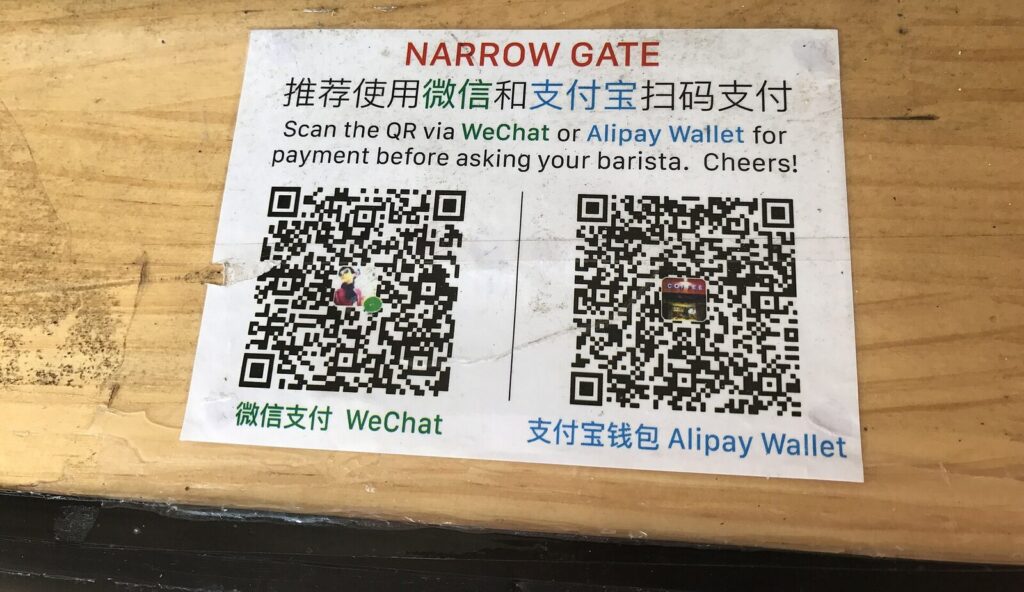
At the hotel, the front desk asks for your passport and may scan it for the police registration system. You message the host on WeChat to confirm late check-out. After dropping your bag, you open Amap, search for a nearby breakfast place by its Chinese name, and follow the walking route. At the counter you scan the shop’s QR code with Alipay and pay. If the menu is only in Chinese, Baidu Translate’s camera mode turns it into English in a couple of seconds.
Later you open Trip.com to book the afternoon high-speed train to the next city, pick a seat and get an e-ticket tied to your passport. At the station you use the passport at the gate. In the evening you check Xiaohongshu for a recommended night-view spot, screenshot the pin, and paste the address into Amap. That is the whole loop: connect, ride, pay, navigate, translate, book.
Budget: what these apps cost
| Item | Typical cost | Notes |
|---|---|---|
| Alipay, WeChat, Amap, DiDi, Baidu Translate | Free to download | You pay only for what you use |
| Card payment fee | Around 3% per transaction | Varies by app and issuing bank |
| Trip.com bookings | Ticket price plus a small service fee | Fee depends on product |
| VPN subscription | Roughly US$3–12 per month | Pay before you travel |
| Travel eSIM | Roughly US$10–30 for a typical trip | Depends on data and days |
Prices change, so treat these as planning ranges, not quotes. The big saving is time: a working app setup avoids missed trains, overpaid taxis and cash-only dead ends.
Privacy and safety tips
- Install apps only from the official App Store or Google Play, never from random links or QR codes.
- Use a separate, strong password for Alipay and WeChat and turn on the phone’s screen lock.
- Do not share payment QR codes or verification codes with strangers, including people who approach you in tourist areas.
- Keep screenshots of your hotel booking, train tickets and Chinese-character addresses in case your connection drops.
- Expect that messages and payments inside Chinese apps are subject to local rules; keep sensitive communications on your own VPN or secure channel.
- Carry a power bank. QR payments, maps and tickets all drain the battery quickly.
Common problems and fixes
| Problem | Likely cause | Fix |
|---|---|---|
| No SMS verification code | Roaming off or SIM swapped | Register at home; keep your home SIM active |
| Payment declined | Card issuer blocked overseas payments | Notify your bank; try a different card or the Tour Pass wallet |
| Map shows wrong position | Using Google Maps | Switch to Amap or Apple Maps |
| App will not download | Store region or network limits | Install everything before you travel |
| Taxi will not accept short ride | Street-hailed taxi | Use DiDi instead |
FAQ
Can I use China without Alipay or WeChat?
Cards work at hotels, airports and larger shops, and cash is legally accepted, but daily life is much smoother with Alipay or WeChat Pay. Carry both a card and a little cash as backup.
Do I need a Chinese phone number?
No. Most apps accept your home number for registration. An eSIM with data handles connectivity.
Is Google Maps usable at all?
Poorly. Use Amap or Apple Maps for routes, and keep Google only for planning at home.
Which single app matters most?
Alipay. If a payment works, almost everything else follows.
Are these apps safe to use?
They are mainstream apps from large companies. As with any app, download only from official stores, use strong passwords and keep your phone locked.
Should I download the apps before or after arrival?
Before. Registration and verification are far easier on your home network, and some app stores are slow in China.
Want help setting it all up?
Getting payments, maps, rides and connectivity working before you land is the difference between a stressful first day and a smooth one. Our Travel Concierge service helps independent travelers plan routes, set up apps, handle bookings and get answers on WhatsApp while in China. Services are quoted on request to fit your trip. Message us on WhatsApp to tell us your dates and cities.